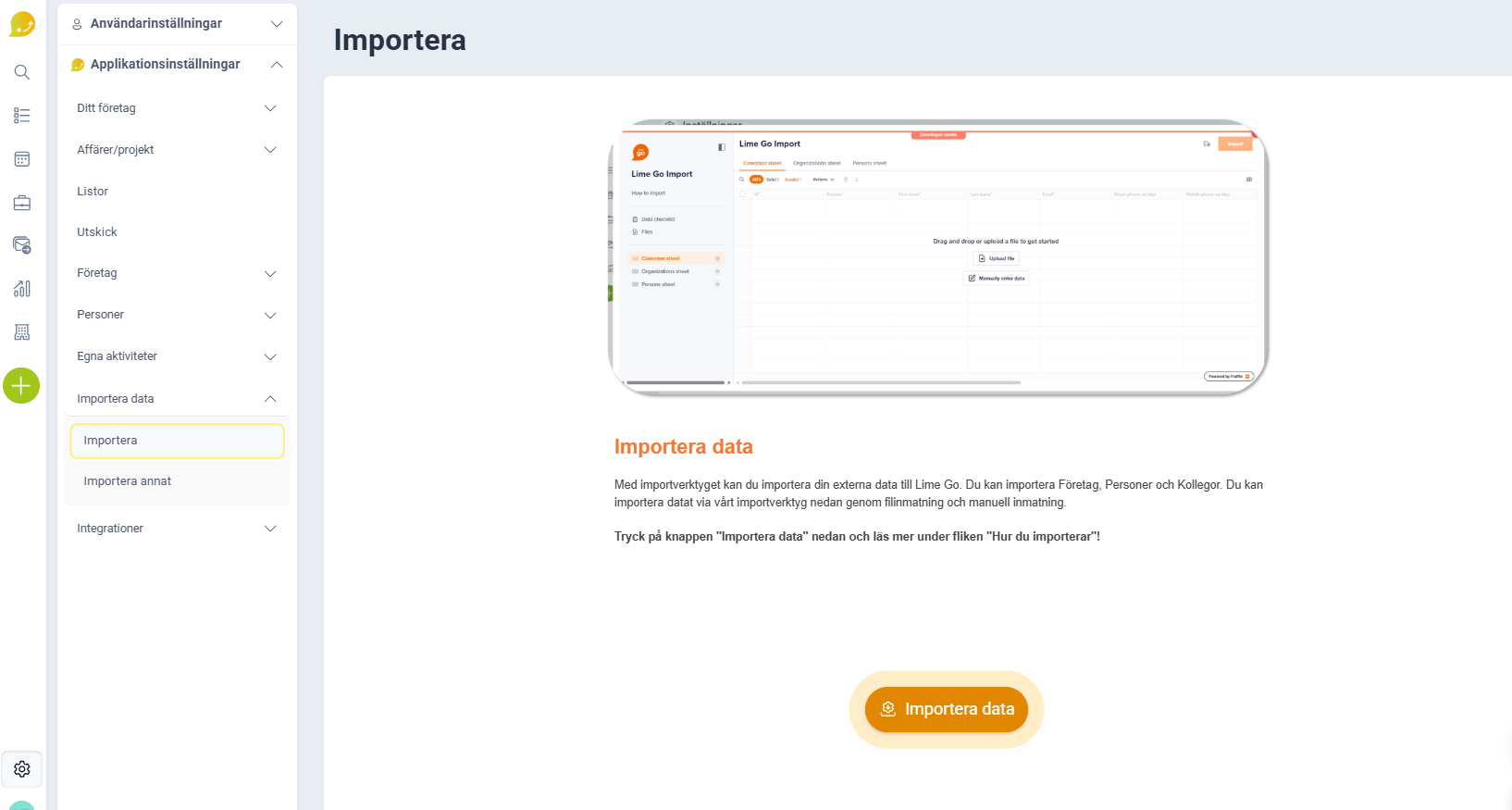
Go to Settings (⚙️), Application Settings and Import. To see Imports you need administrator permissions in Lime Go.
❔ How do I activate administrator permissions?
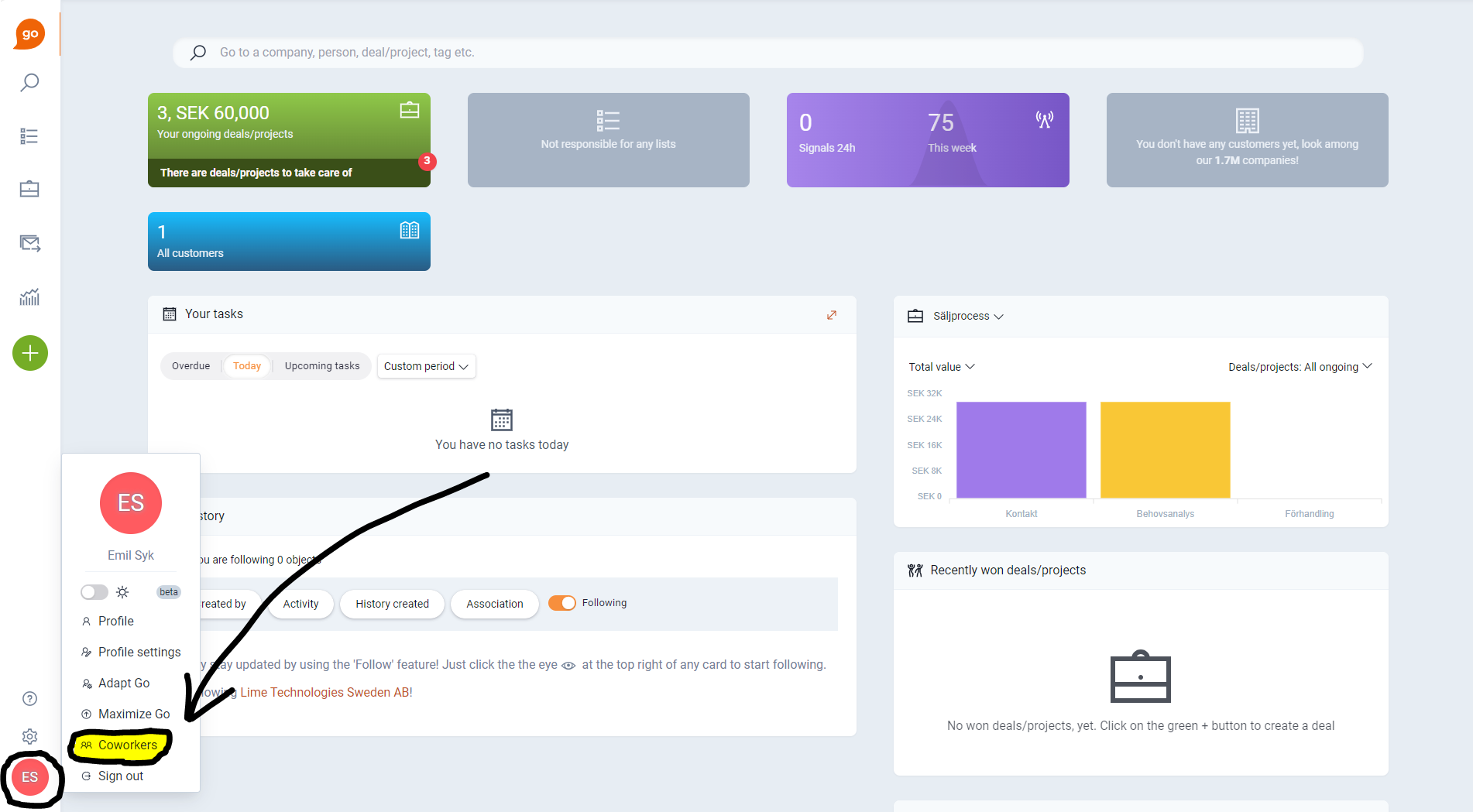
- Click your profile picture in the bottom left corner.
- Click Coworkers.
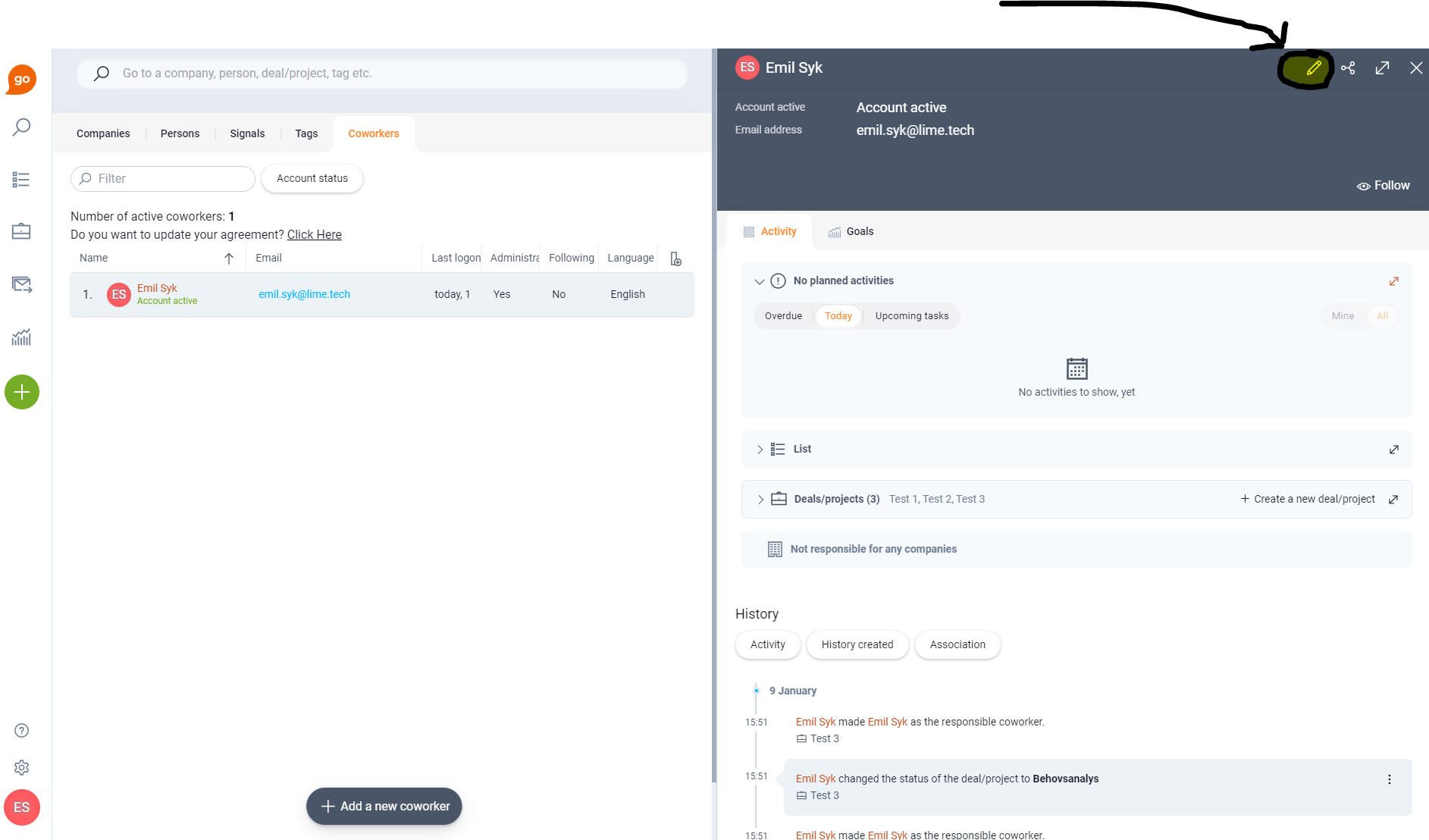
- Select the coworker you want to give administrator permissions to.
- Click Edit (the pencil icon).
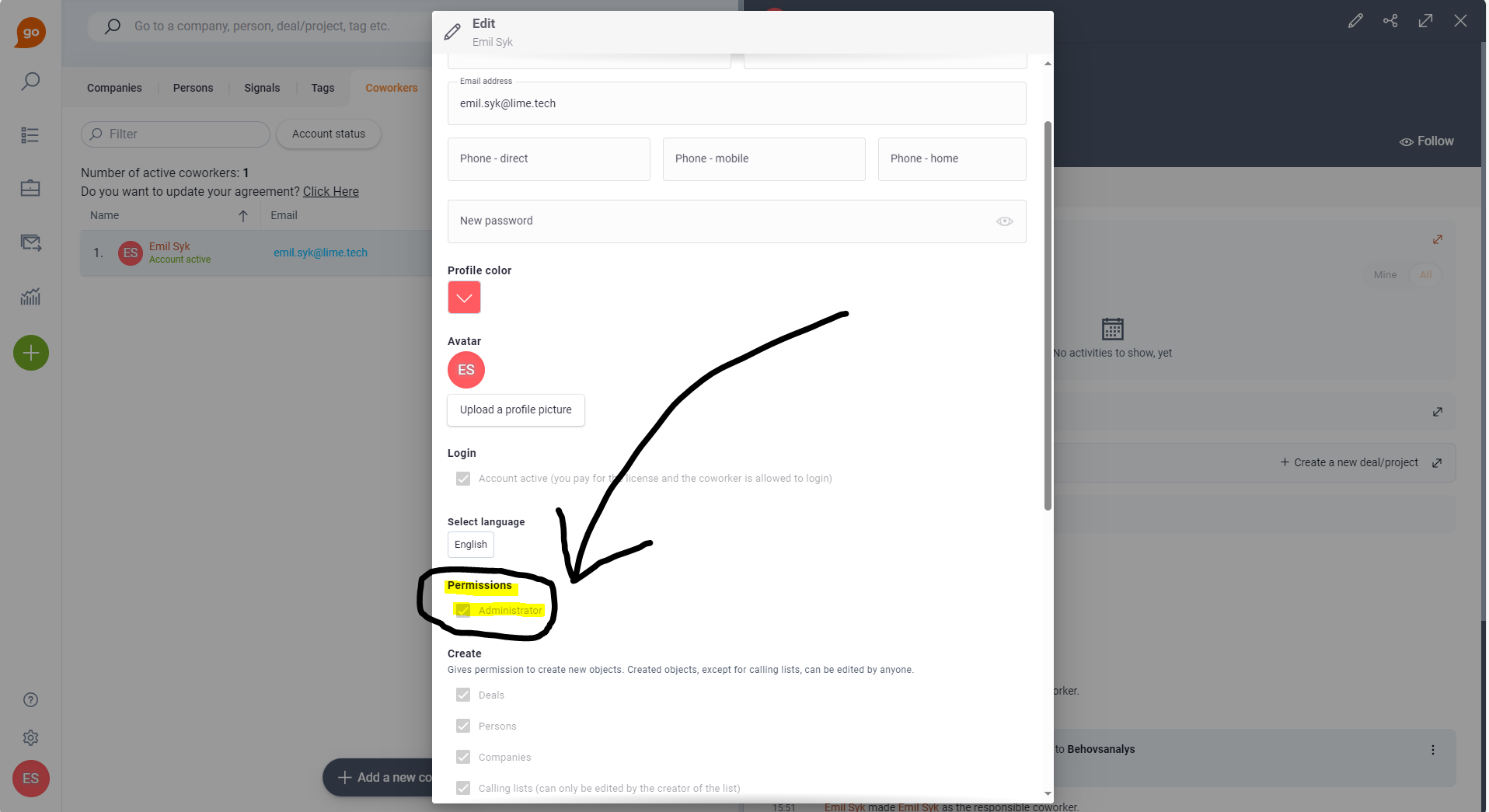
- Turn on Administrator under Permissions.
Don't have access to grant permissions yourself? Ask a current administrator at your company for help.