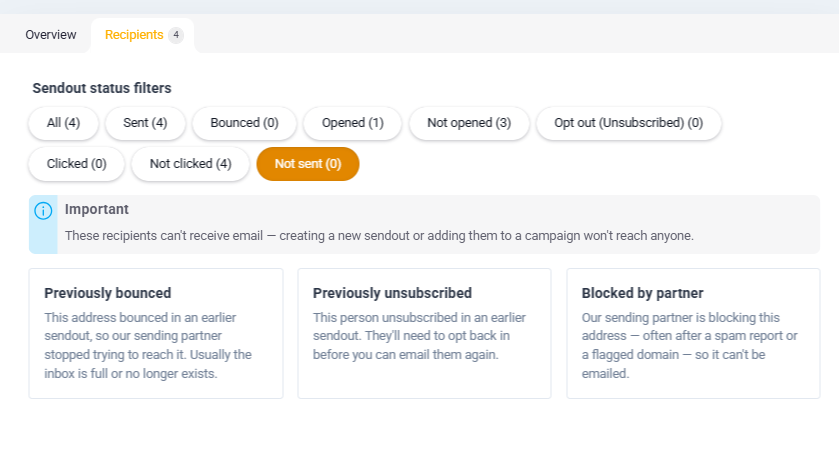
When you send an email mailing, some email addresses may be skipped automatically. This is a deliberate choice we make to protect your and our email domain.
How do I find out who didn't get the mailing?
- Go to Email mailings
- Click the mailing in question
- Open the Recipients tab
- Select the filter Not sent
The filter Not sent is only shown if there are actually addresses that have been blocked in the mailing.
What do the different statuses mean?
Bounced
The email address bounced on this specific mailing. This can be because the inbox is full, the address is invalid, or it no longer exists.
Previously bounced
The address bounced in a previous mailing and has been blocked ever since. We don't send to an address that has bounced — even if it only happened once — in order to protect your domain.
Unsubscribed
The person chose to unsubscribe from this mailing.
Previously unsubscribed
The person unsubscribed in a previous mailing and can therefore no longer receive mailings from you.
Blocked by partner
Our email partner has placed the address on a block list. This is because the address is no longer active. We can't send to these addresses.