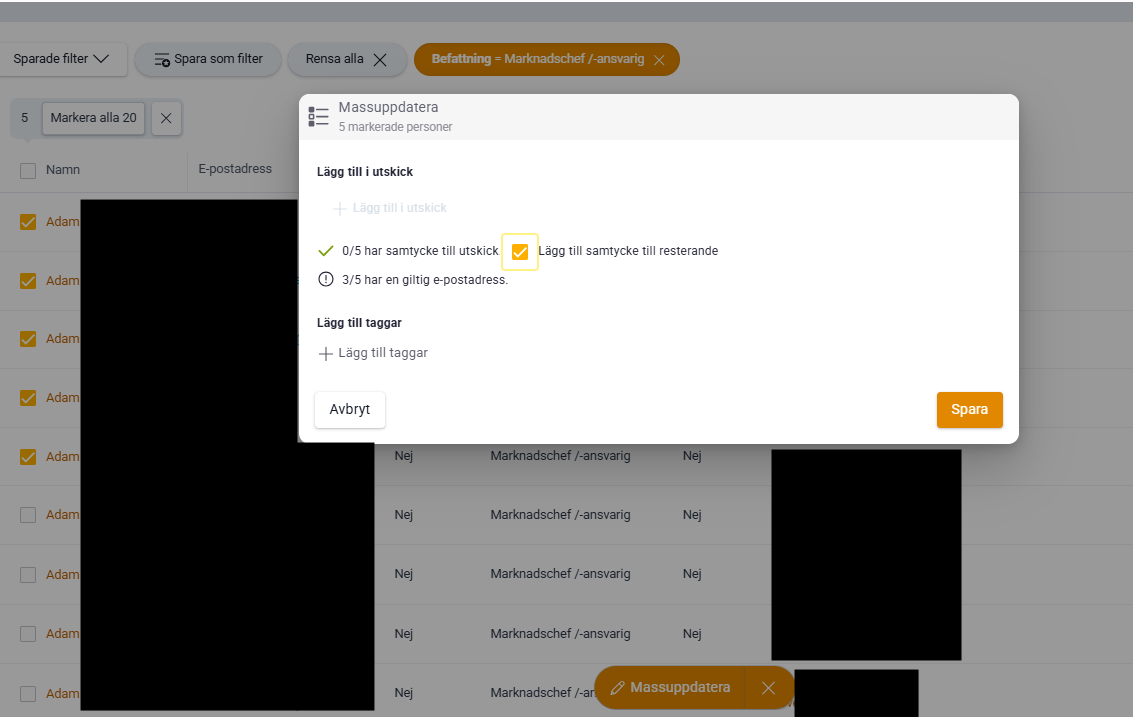
Yes, you can easily bulk update multiple contacts at once to add consent to mailings.
👉🏻 Here's how:
1) Use the filter on people to find the contacts you want to update — for example everyone with the title Marketing Manager.
2) Check the contacts you want to update. When you select more than one person, the Bulk update button appears at the bottom of Lime Go.
3) Click the Bulk update button.
4) In the new window that opens, select the option Add consent to mailings (or to the remainder, depending on what applies) and click Save.
You can use the bulk update feature for several types of changes — not just consents. It saves time when you need to update many contacts at once.