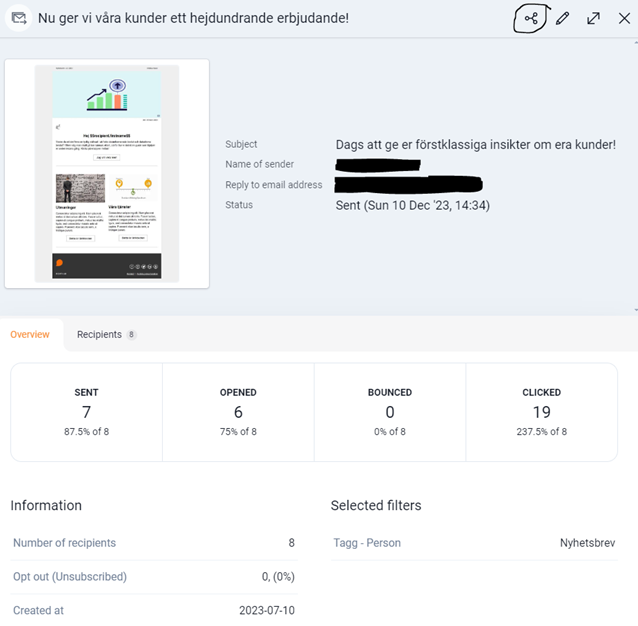
In Lime Go, you get access to statistics and insights about your mailings — a great basis for identifying potential leads.
❔ How do I do it?
You'll find statistics at two levels:
- Under Overview, you'll see general statistics for the entire mailing.
- Under the Recipients tab, you'll see statistics at the individual level.
👉🏻 Want to assign the whole mailing for follow-up?
Click Share Lime link in the top right to assign the mailing to your salespeople for follow-up.
👉🏻 Want to identify specific leads?
Under Recipients you can filter by different statuses to find people who clicked on links in the mailing. From there, you can convert their activity into leads and follow up with them.