You can easily reuse / copy a previous campaign as a template directly in the campaign tool.
❔ How do I do it?
- Click Create campaign and select recipients or start with a blank campaign.
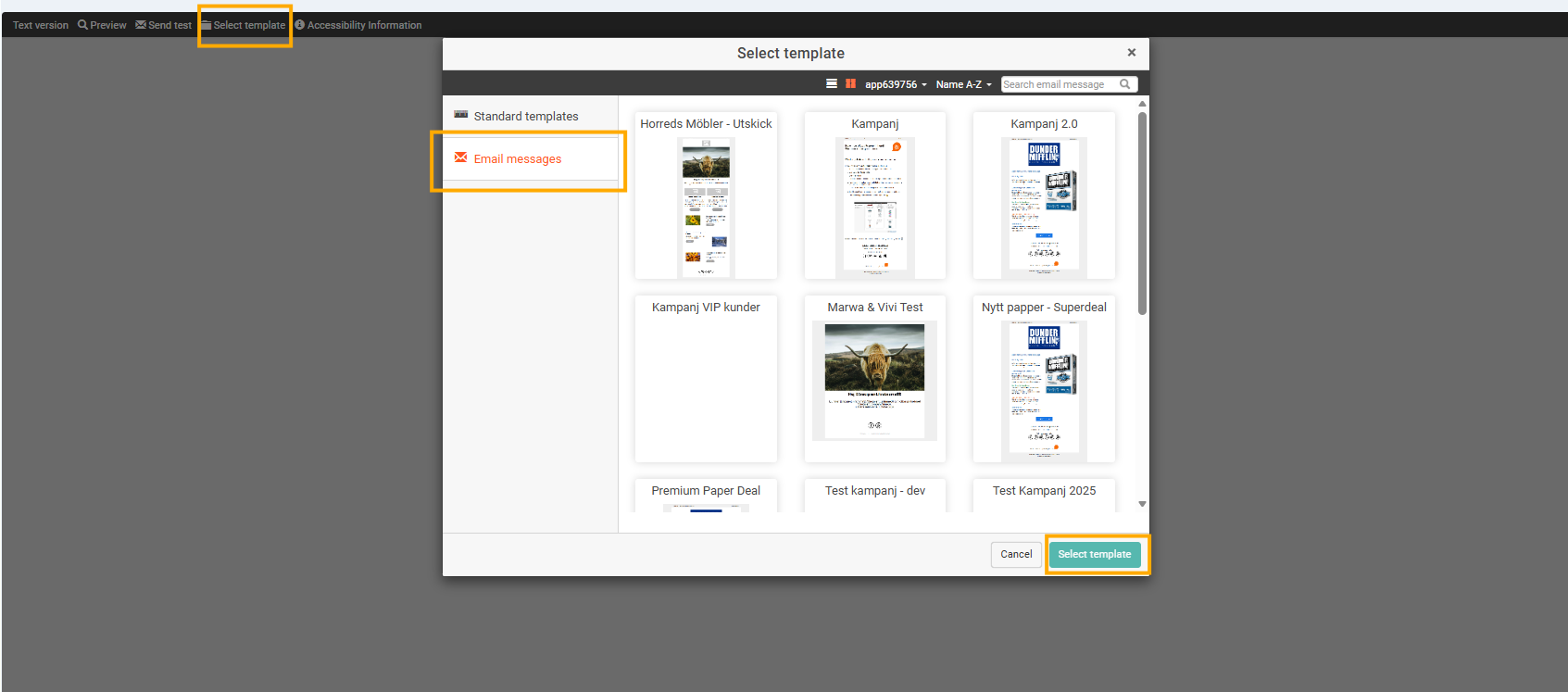
- Go to the menu bar at the top and click Select template.
- Under the Email messages tab you will find all your previous campaigns.
- Select the campaign you want to use as a template.