You can't attach files directly to a mailing in Lime Go. Instead, you add the file as a link.
❔ How do I do it?
You can add a link in two ways:
Option 1: Add a button (recommended)
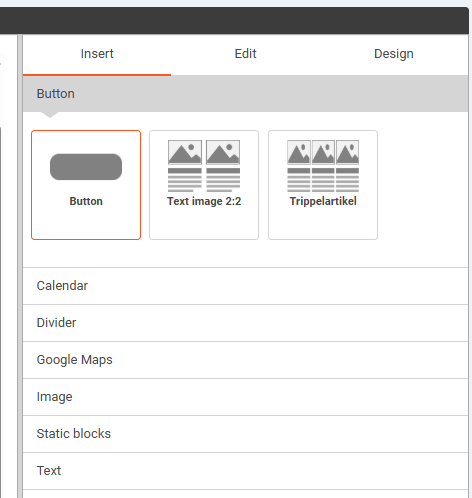
- Click Insert.
- Drag in a Button (Call to Action) where you want it.
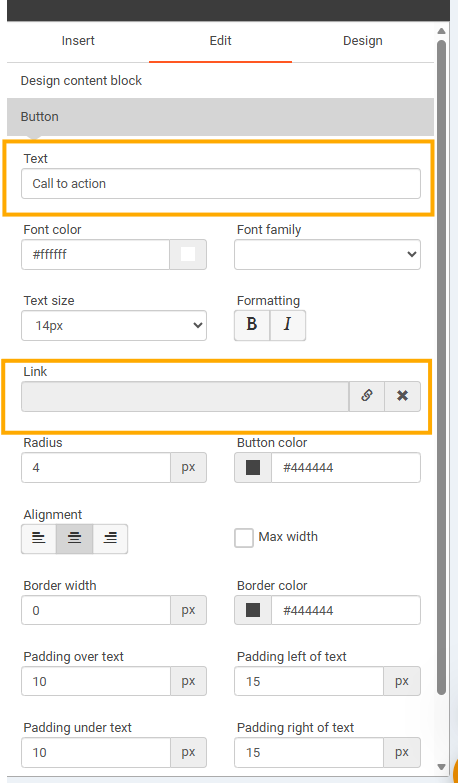
- Paste the link into the link field.
- Rename the button to fit your mailing.
Option 2: Add a text link
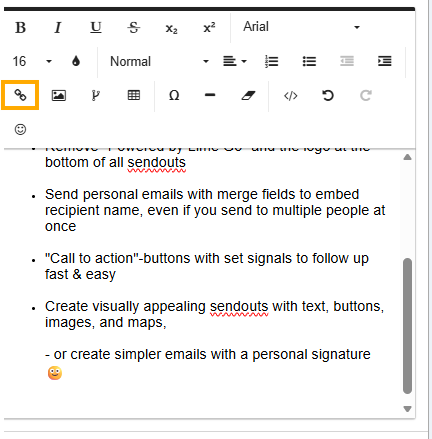
- Select the text in an editing block.
- Click the link icon.
- Paste the link to the file.
💡 We recommend option 1 – a Call to Action button makes the mailing easier to read and clearer for the recipient.
⭐ We recommend using a Call to Action button, since it makes the mailing easier to read, clearer for the recipient, and gives a more polished overall impression.
Option 2: Add a text link
- Select the text in an editing block.
- Click the link icon
- Paste the link to the file