You can quickly deactivate a user under Employees in your account.
❔ How do I do it?
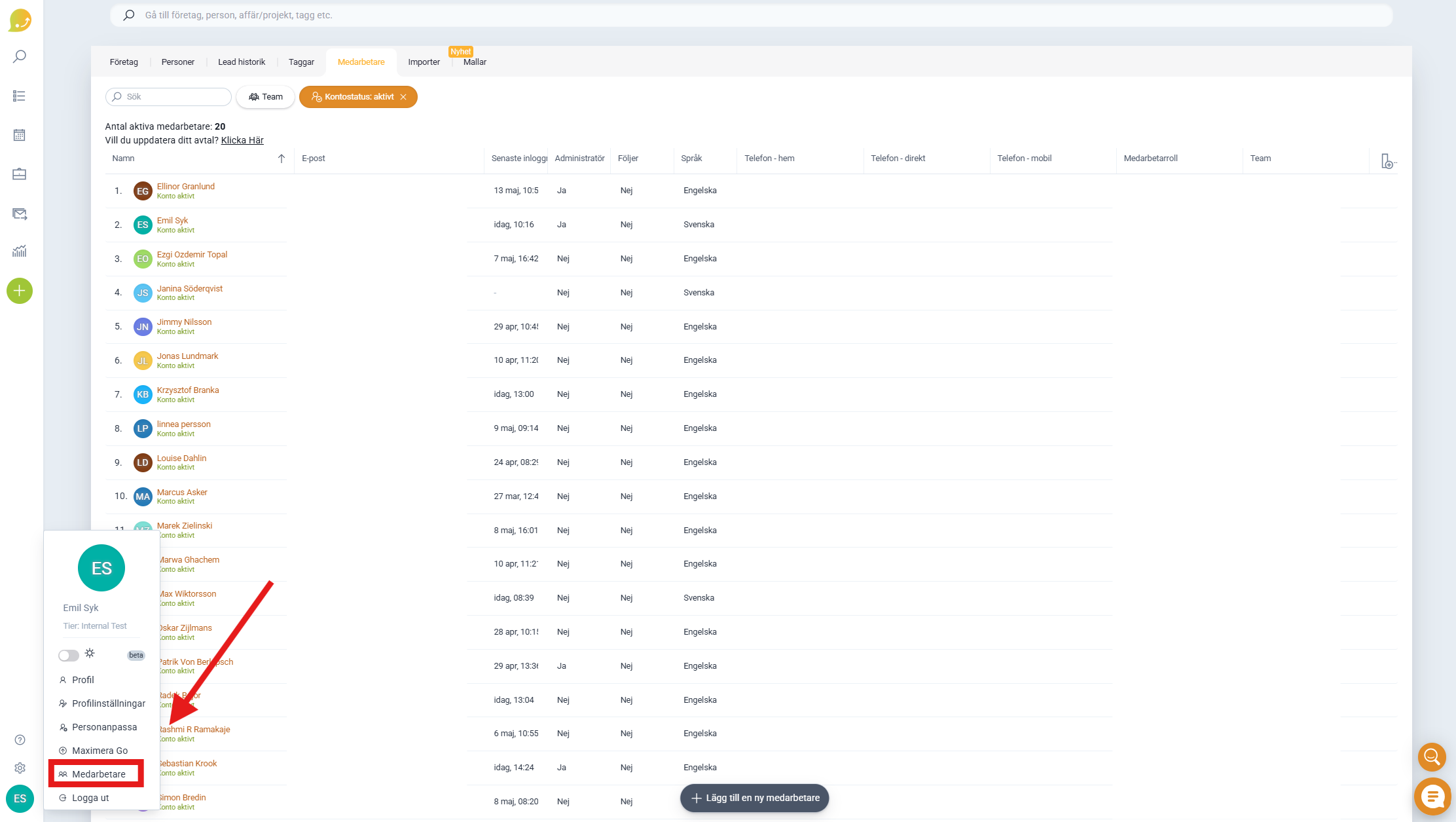
- Click on your profile icon in the bottom left corner and select Employees.
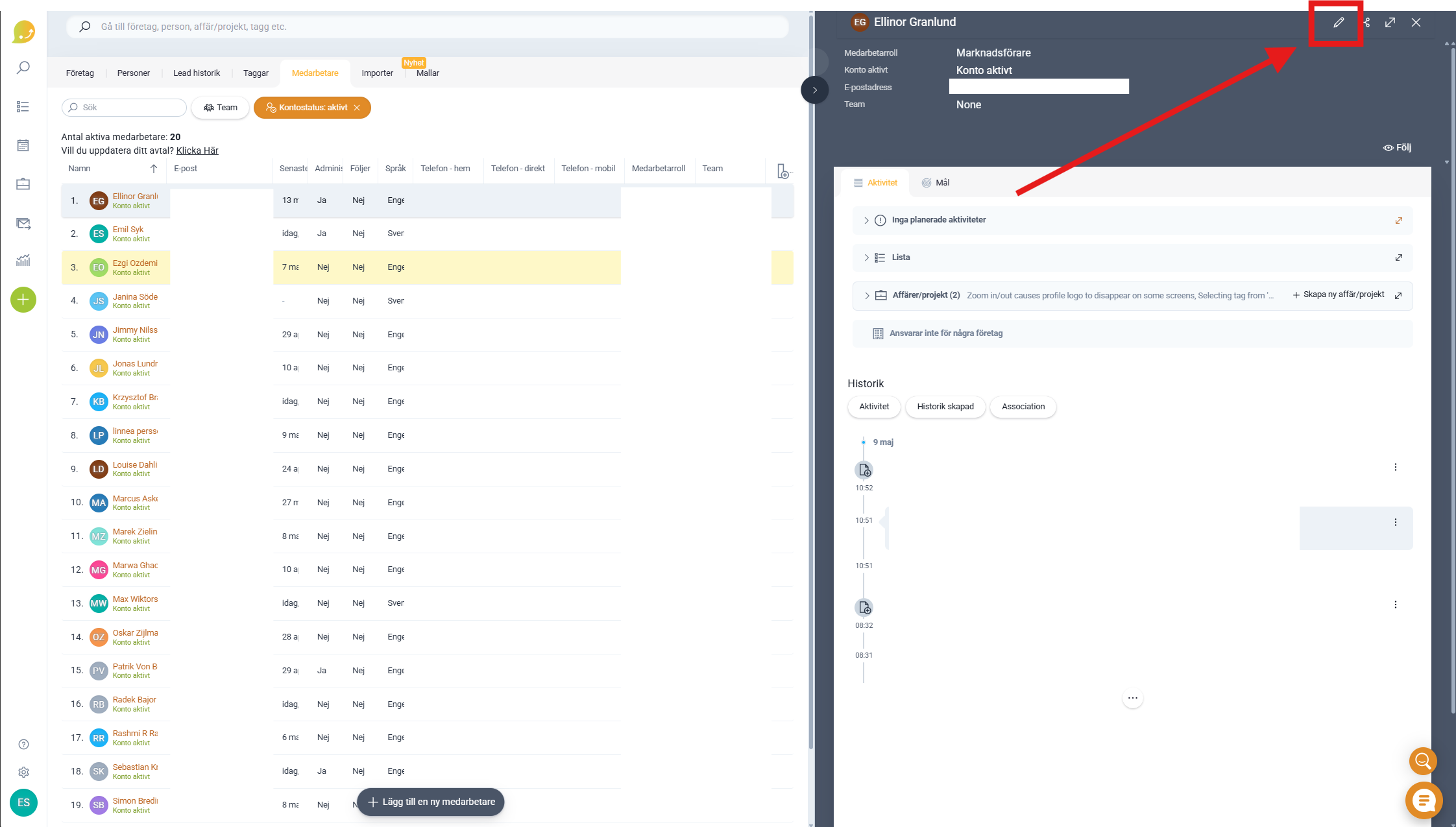
- Click on the employee you want to deactivate.
- Click Edit in the top right corner.
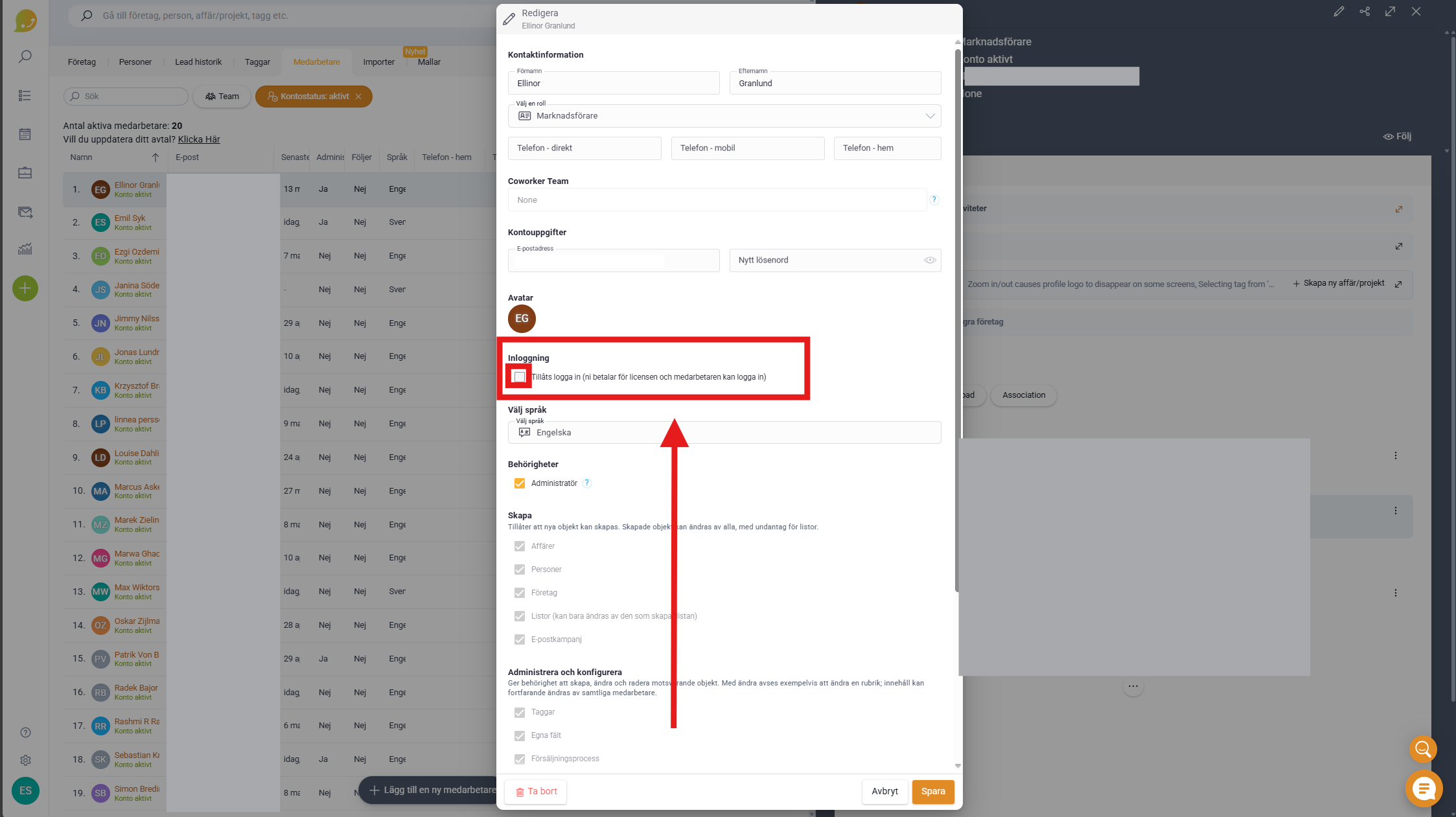
- Uncheck the Allowed to log in box under Login.
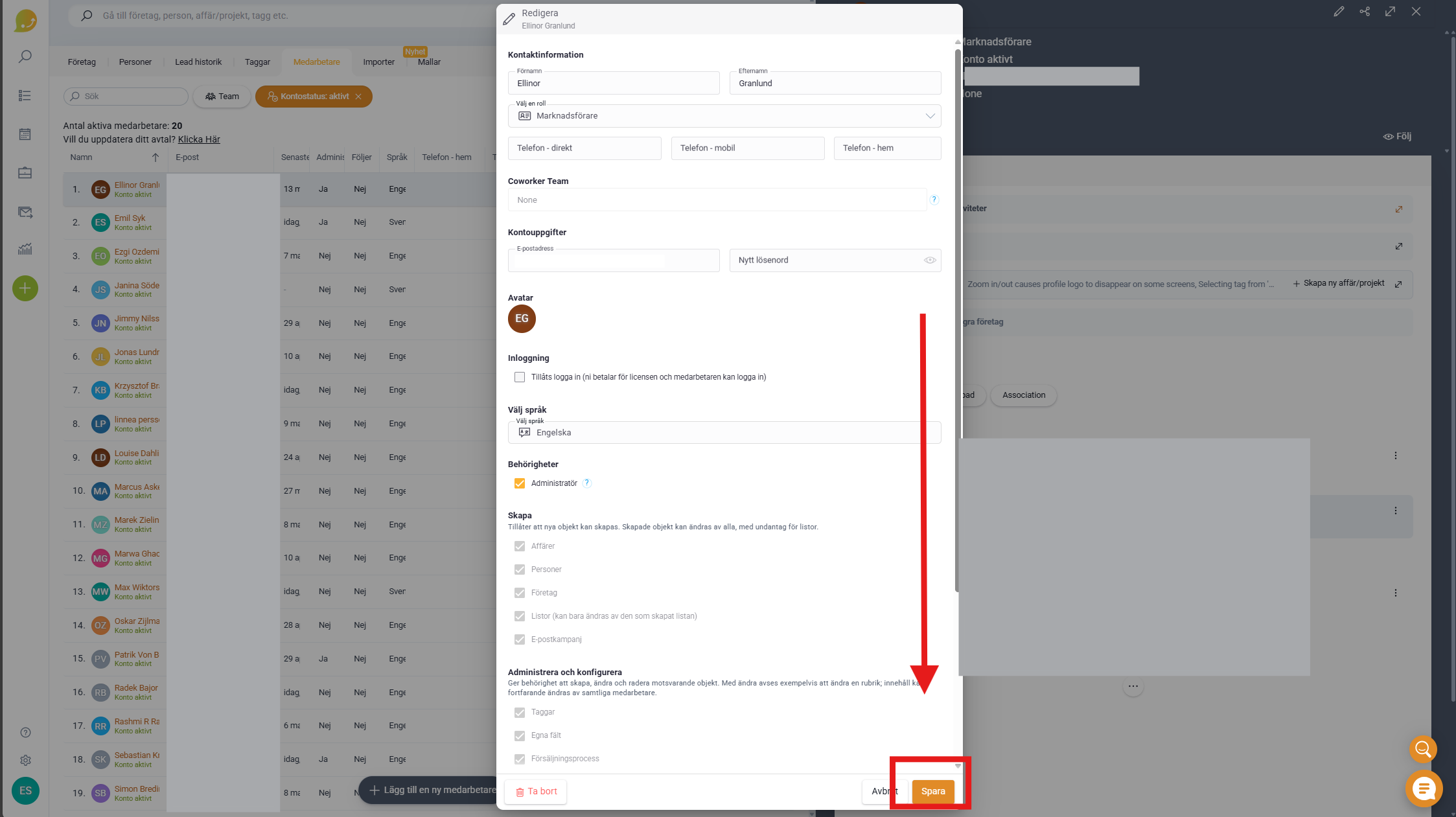
- Click Save.
You need to be an administrator to deactivate a user.
⚠️ When a user is deactivated, all previous work remains in Lime Go, such as notes and deals. If you want to delete the user and all associated work completely, click Remove instead.
If you want to reactivate a deactivated user, check the Allowed to log in box again.