
You can easily add new users under Employees in your account.
❔ How do I do it?
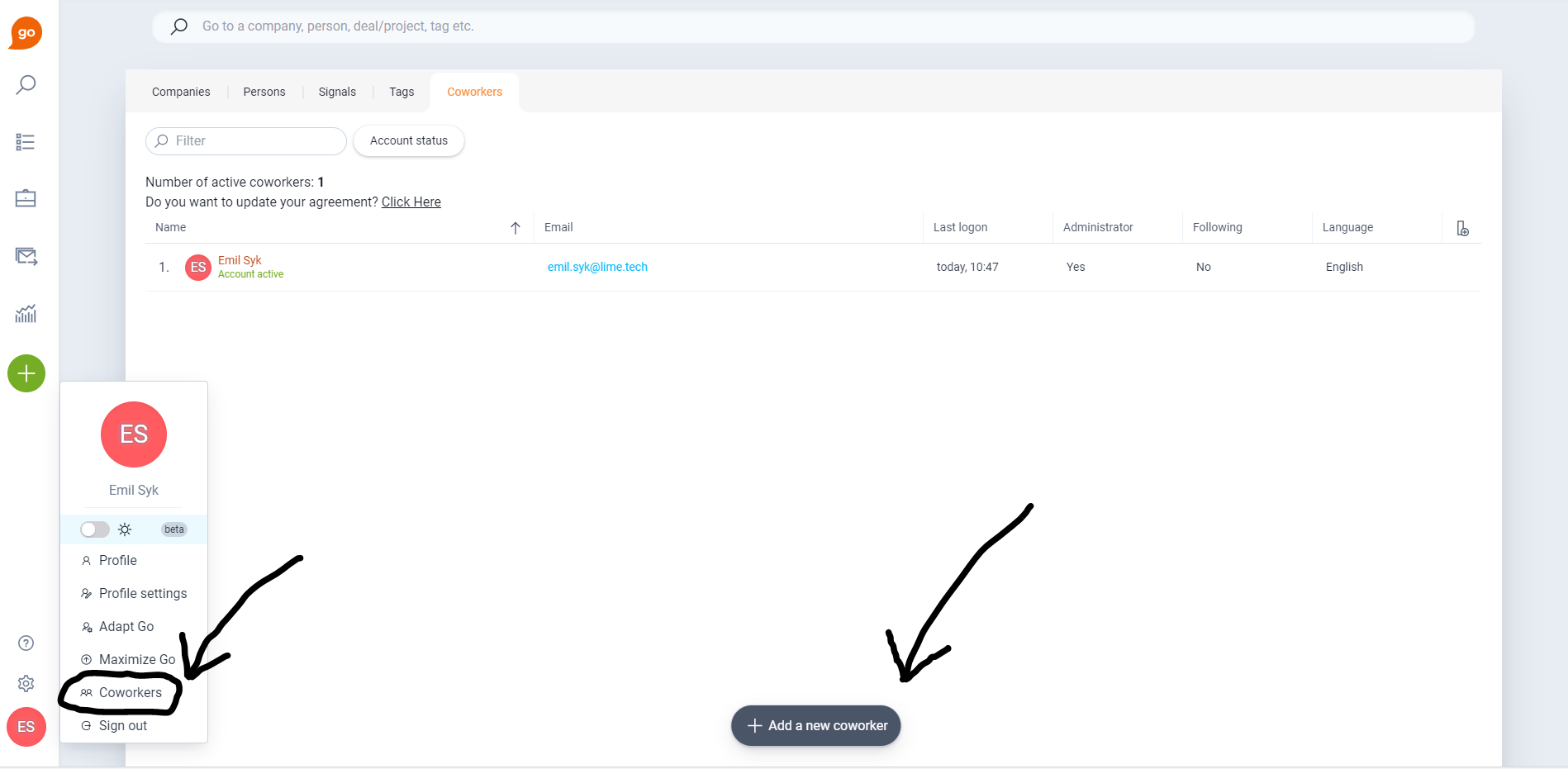
- Click on your account in the bottom left corner and select Employees.
- Click + Add a new employee.
- Fill in name, contact details, and other information.
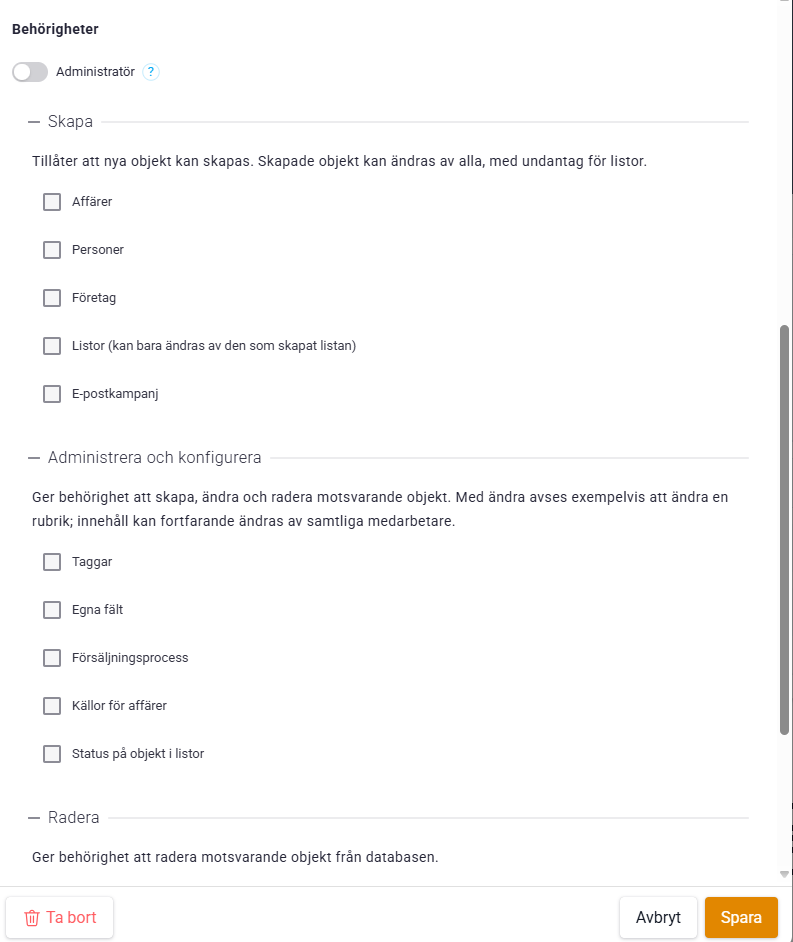
- Select permissions by checking the respective boxes, or select Administrator.
- Make sure Allowed to log in is checked.
- Save to create the account.
The new user will now receive an activation email with a link to create their password.
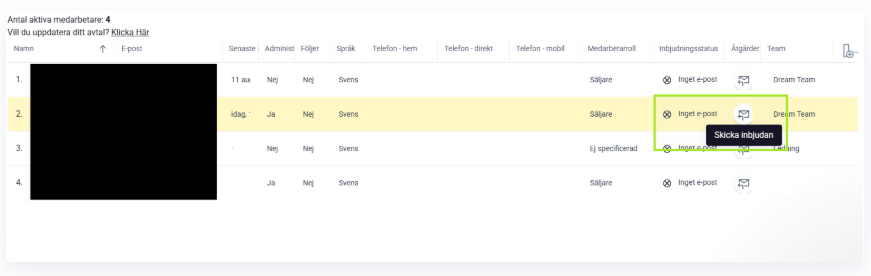
⚠️ Didn't the email arrive? Check the spam folder. If it takes more than 10 minutes, you can resend the invitation by clicking Send invitation or the email icon.

Need to rename a user or transfer data from an inactive user to an active one? This can be managed within the system.
Contact us via chat and we'll be happy to help.