Yes, you can take over both reminders and company responsibility from a deactivated user.
❔ How do I do it?
Take over reminders
- Click on your account in the bottom left corner and select Employees.
- Click on the name of the deactivated user.
- On the user's card you'll find all the reminders the person was responsible for.
- Click on a reminder and then Edit in the top right corner.
- Select yourself as responsible.
Take over company responsibility
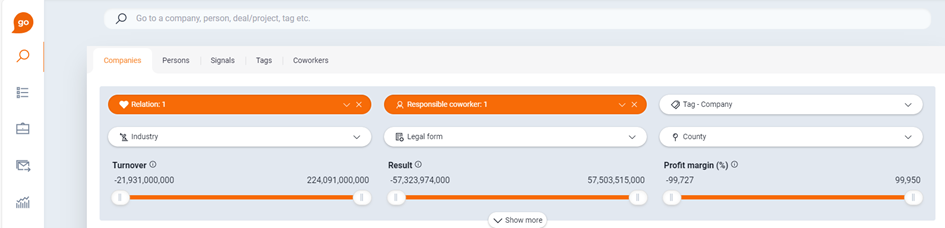
- Go to Find in the left panel and select Is customer under the Relation tab.
- Filter by Responsible employee and select the deactivated user.
- You'll now get a list of all companies where you need to update the responsible employee.
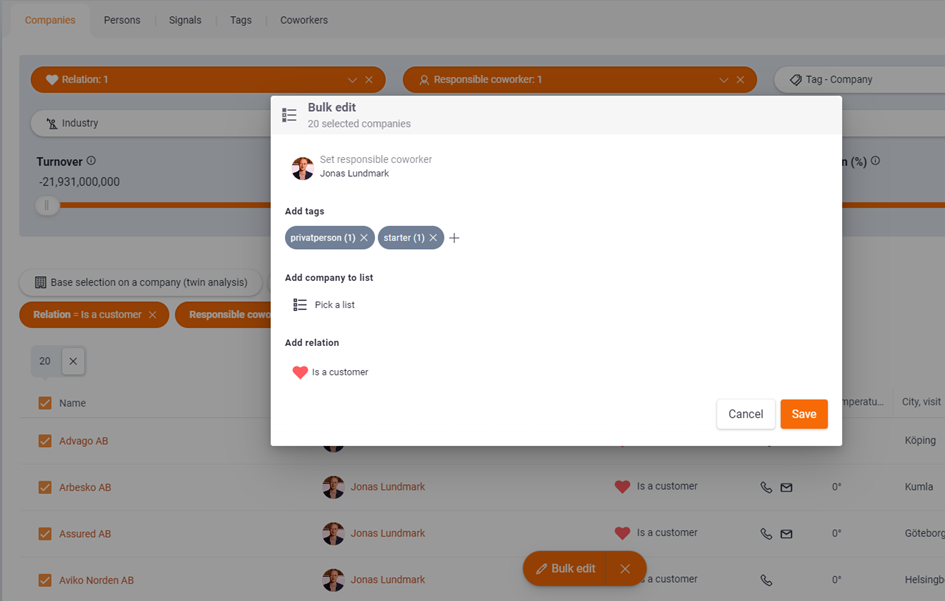
- Select multiple companies and click Bulk update.
You can bulk update up to 20 companies at a time.