By matching a company with source data, you can connect your created company to an existing company from the data source in Lime Go.
❔ How do I do it?
Step 1: Disconnect the incorrectly matched company card
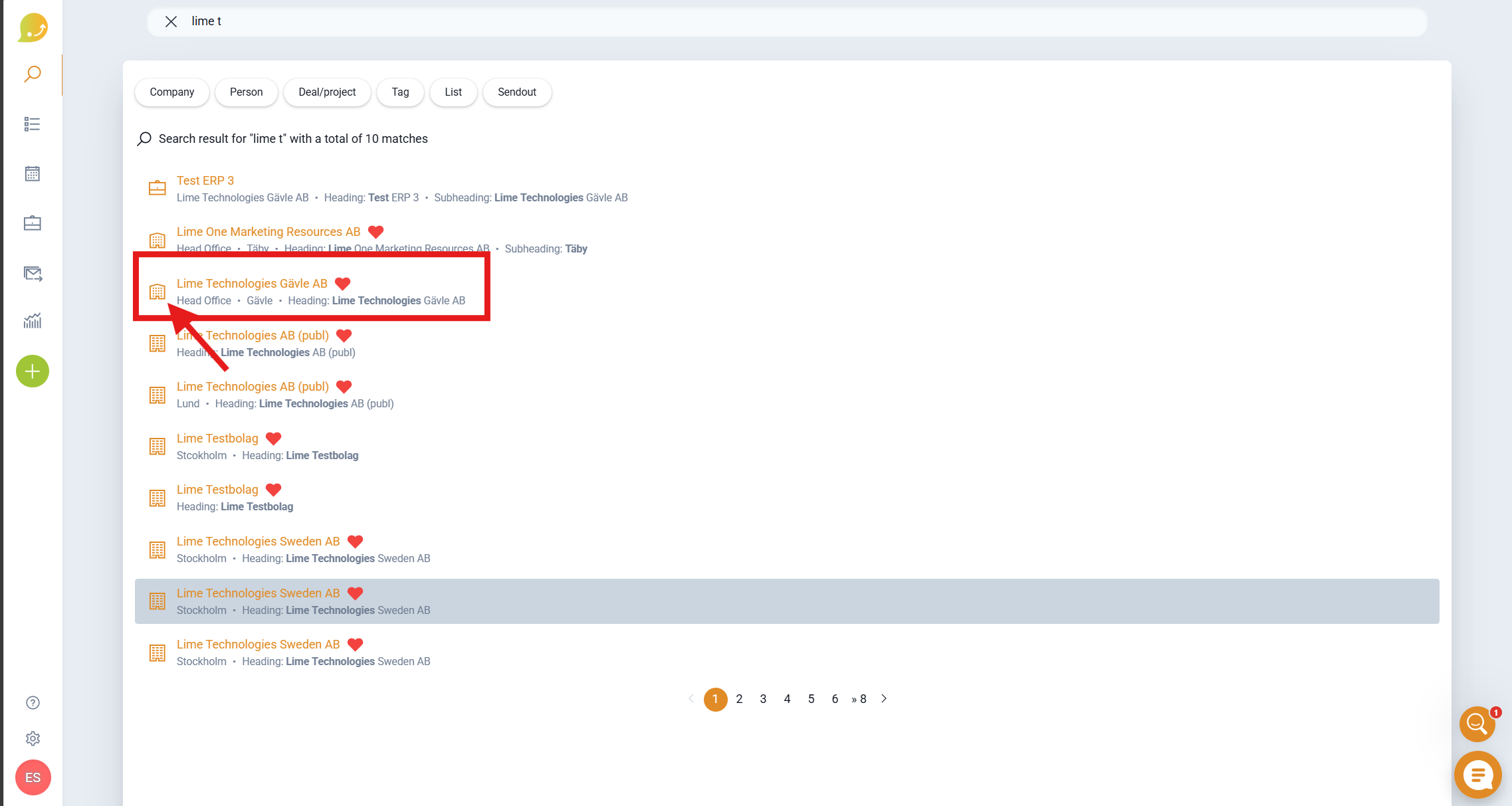
- Go to the incorrectly matched company card.
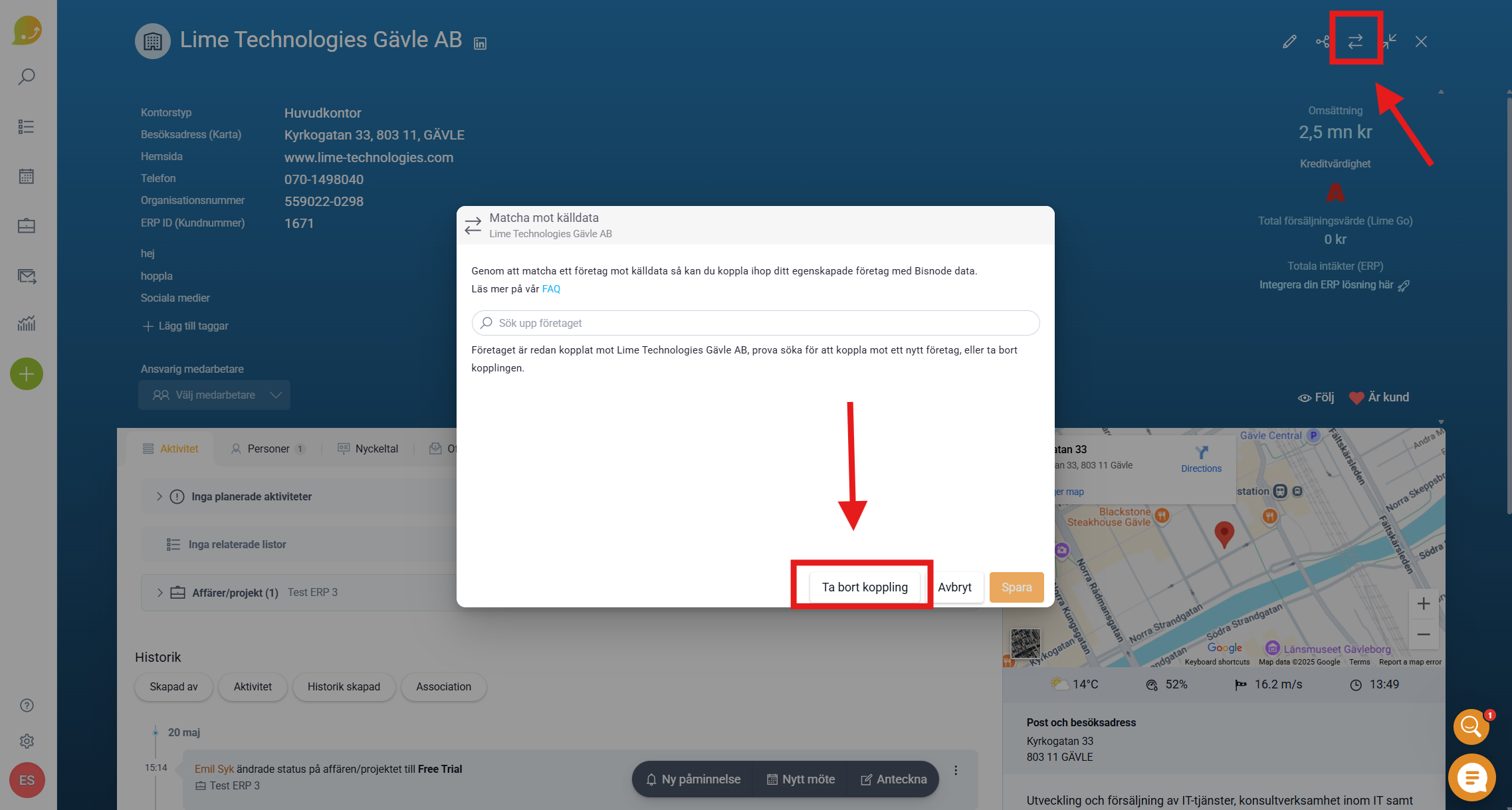
- Click Match against source data (the icon with two arrows in the top right corner).
- Click Remove connection.
Step 2: Match the correct company card
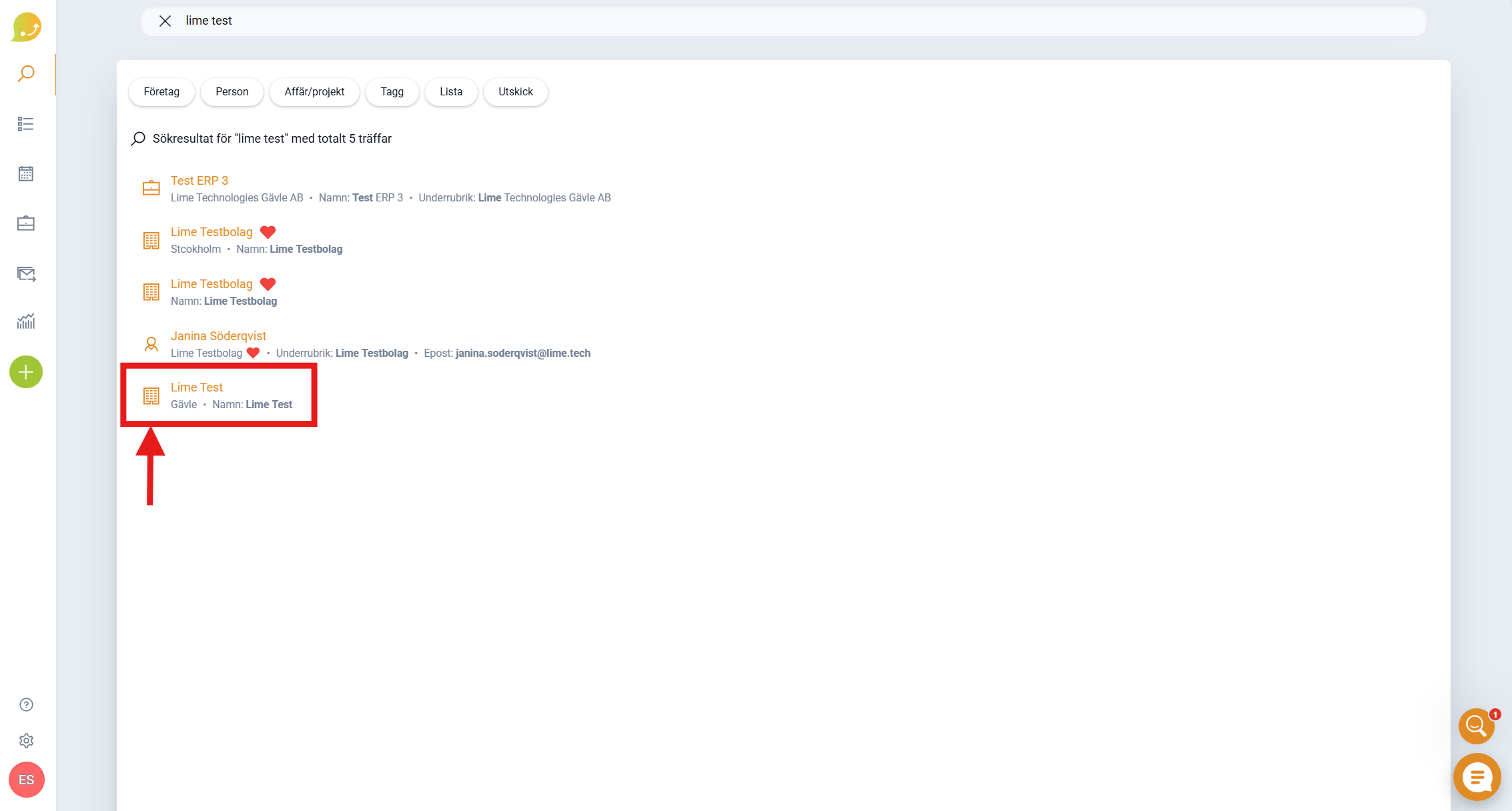
- Look up the unmatched company card.
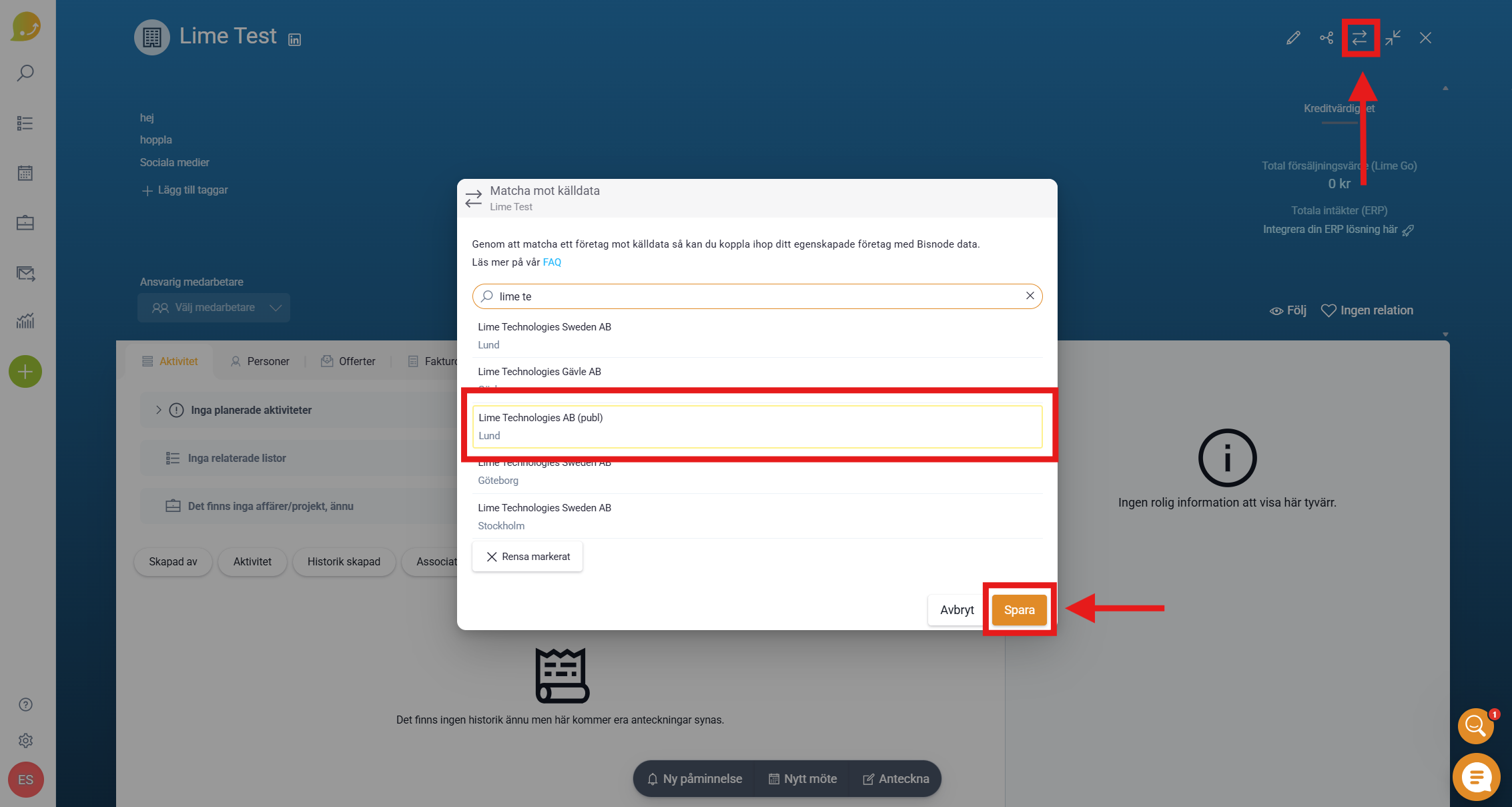
- Click Match against source data (the icon with two arrows in the top right corner).
- Look up the company you want to match in the search field.
- Click Save.
When the cards are matched, they are merged into one customer card. All information from both cards – deals, notes, meetings, responsible employee, tags, and more – is gathered in one place.