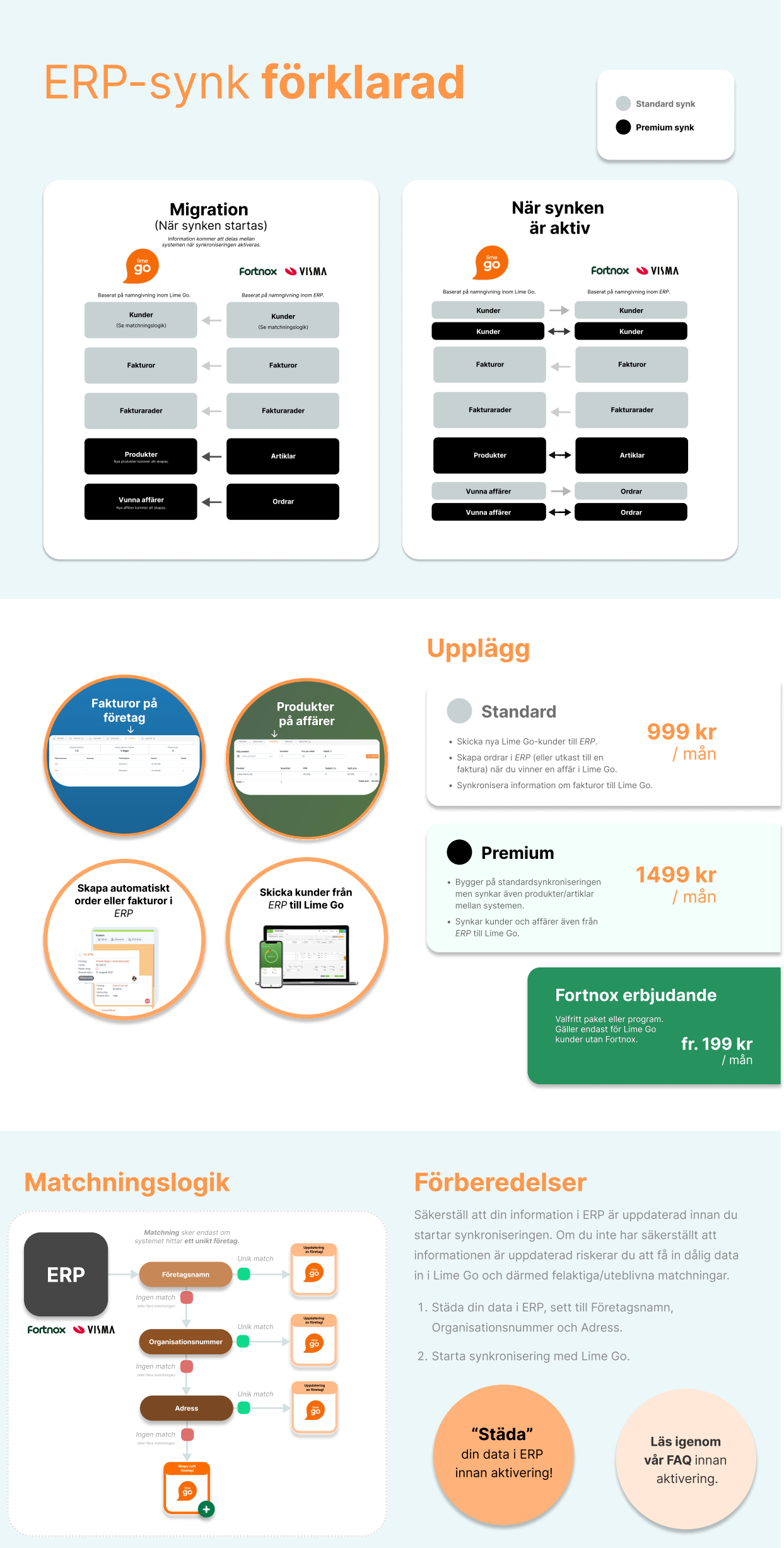
When a deal reaches a positive final step, Lime Go automatically sends customer and deal information to your ERP system.
❔ How does it work?
Creating an invoice or order
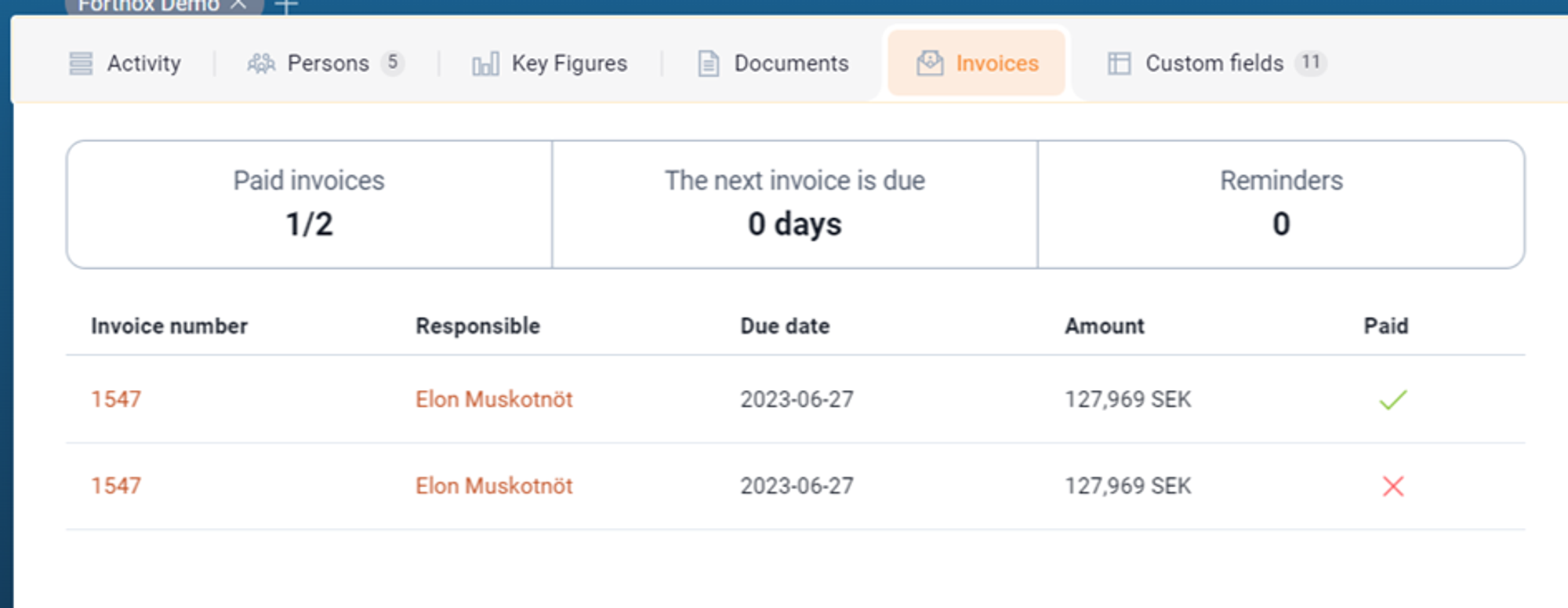
The ERP system receives the information and generates an order or invoice. The order or invoice number and payment status are sent back to Lime Go and displayed on the company card.
- An order created in the ERP system creates a deal in Lime Go.
- An invoice created in the ERP system creates an invoice on the related deal in Lime Go.
Payment status
You'll find the payment status under the Invoices tab on the company card:
- 🔴 Red – the invoice is unpaid and the due date has passed.
- 🟡 Yellow – the invoice is unpaid but within the due date.
- 🟢 Green – the invoice is paid.
Unmatched data
Lime Go acts as the primary data source. If you have existing customer data in the ERP system, the synchronization will try to match it against the information in Lime Go.
Updating the ERP system ID
When a deal is won, the synchronization creates an order or invoice and updates the deal's ERP ID with the corresponding order or invoice number.