
Under GDPR, you need explicit consent from each person in order to send mass mailings.
❔ How do I do it?
Here's how you register that a person has given their consent:
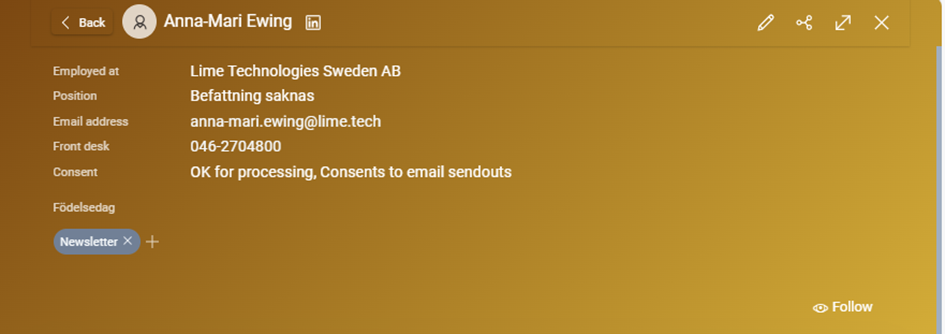
- Open the person card of the person who has given consent.
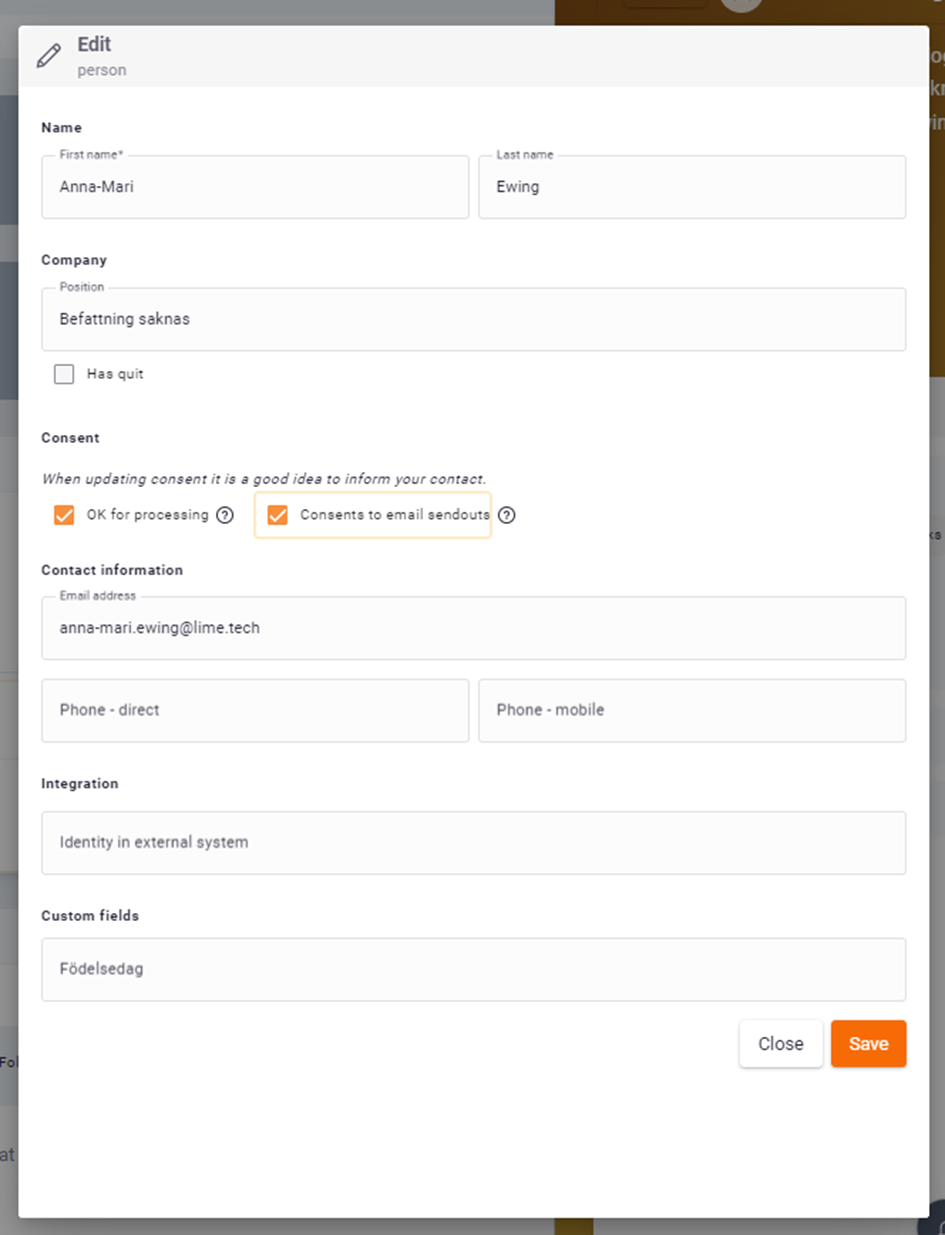
- Click Edit in the top right corner of the card.
- Under Consent you'll find two checkboxes. Check Consents to email mailings to include the person in an email campaign.
- Check that the person has a valid email address and a tag.
- Click Save.
There's also a checkbox for OK for processing — this relates to GDPR and the handling of personal data in Lime Go, and is separate from consent to email mailings.
📽️ You can also see a video guide below: