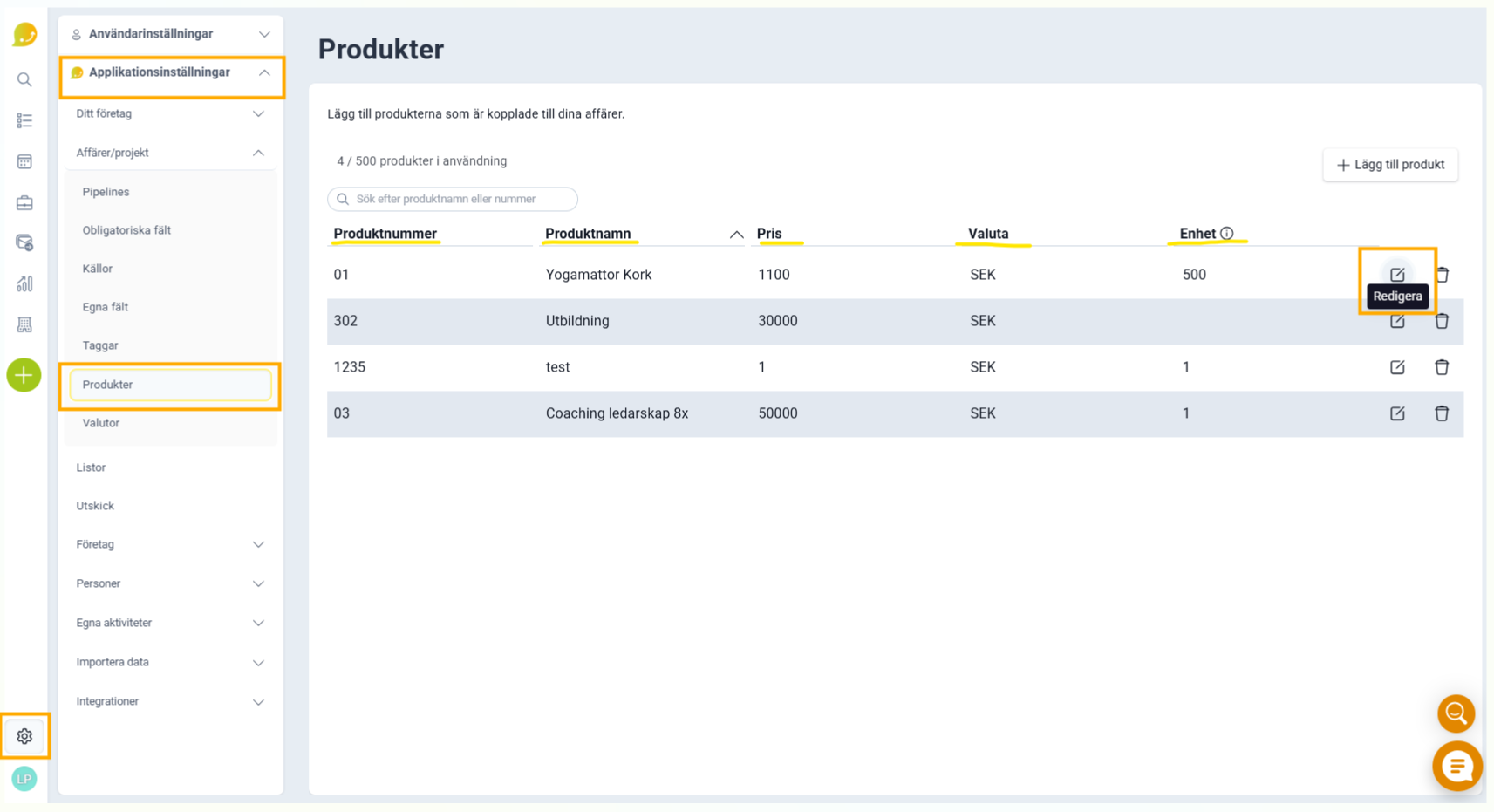
You can customize the product name, item number, quantity, price, discount (%), and units.
❔ How do I do it?
- Go to Application Settings, Deals/Projects, and Products.
- Click Edit
- Make changes under the respective headings you want to change
- Click save (the ✔️ icon).