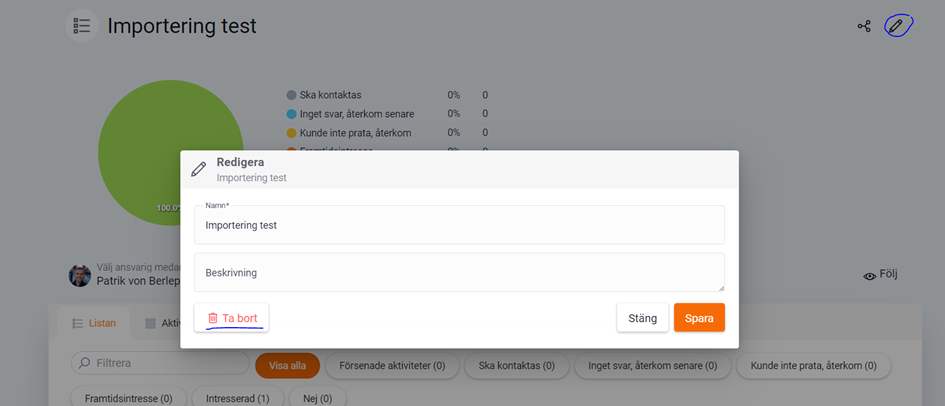
You delete a list directly from the list view by going into the list you want to delete.
❔ How do I do it?
- Go to Lists and open the list you want to delete.
- Click the pencil icon in the top right corner.
- Select Delete and confirm with OK.
Deleted items in Lime Go cannot be undone. If you don't want to delete it but just want to remove it from your lists, archive your list instead.