
logo
Back to Lime Technologies
Lime Go Helpdesk & tutorials ENGLISH
Questions & Answers - FAQ
🚀
Getting Started with Lime Go
⚙️
Configure your Lime Go
📱
Mobile
📥
Data Import
📤
Data Export
🔗
Integrations & API Keys
🔗
Integrations: ERP
👤
Users & Billing
👥
Employees & Teams
🔒
Personal Data & GDPR
📌
Other
🏢
Company Data
🔍
Prospecting & Filters
💼
Deals & Pipelines
🔥
Leads & Heat Score
📋
Lists
🏷️
Tags
🔔
Reminders & Meetings
✅
Custom Activities
📧
Email & Calendar
📰
Newsletter
📄
Quotes
📦
Product Library
💱
Currencies
🤖
AI in Go
📊
Insights: Sales Insights
Insights: Sales Insights - FAQ
❓
How do we work with and follow up on goals?
❓
How does reporting for sales activities work?
❓
What is Sales Insights in Lime Go?
❓
How do I export sales insights?
📊
Insights: Sales Dashboard
📊
Insights: Customer Dashboard
📊
Insights: Customer Portfolio
📈
KPIs: Closed Deal Values
🎓
Training
🐛
Report a Bug
💬
Contact Lime Go
Guides
▶️
Video guides
Lime Go Helpdesk & tutorials ENGLISH
/
Questions & Answers - FAQ
/
Insights: Sales Insights

What is Sales Insights in Lime Go?

✅
You'll find Sales Insights in the left panel. The view shows the sales team's and individual employees' activity in relation to set goals.
❔ How does it work?
You can filter the results by day, week, month, quarter and year.
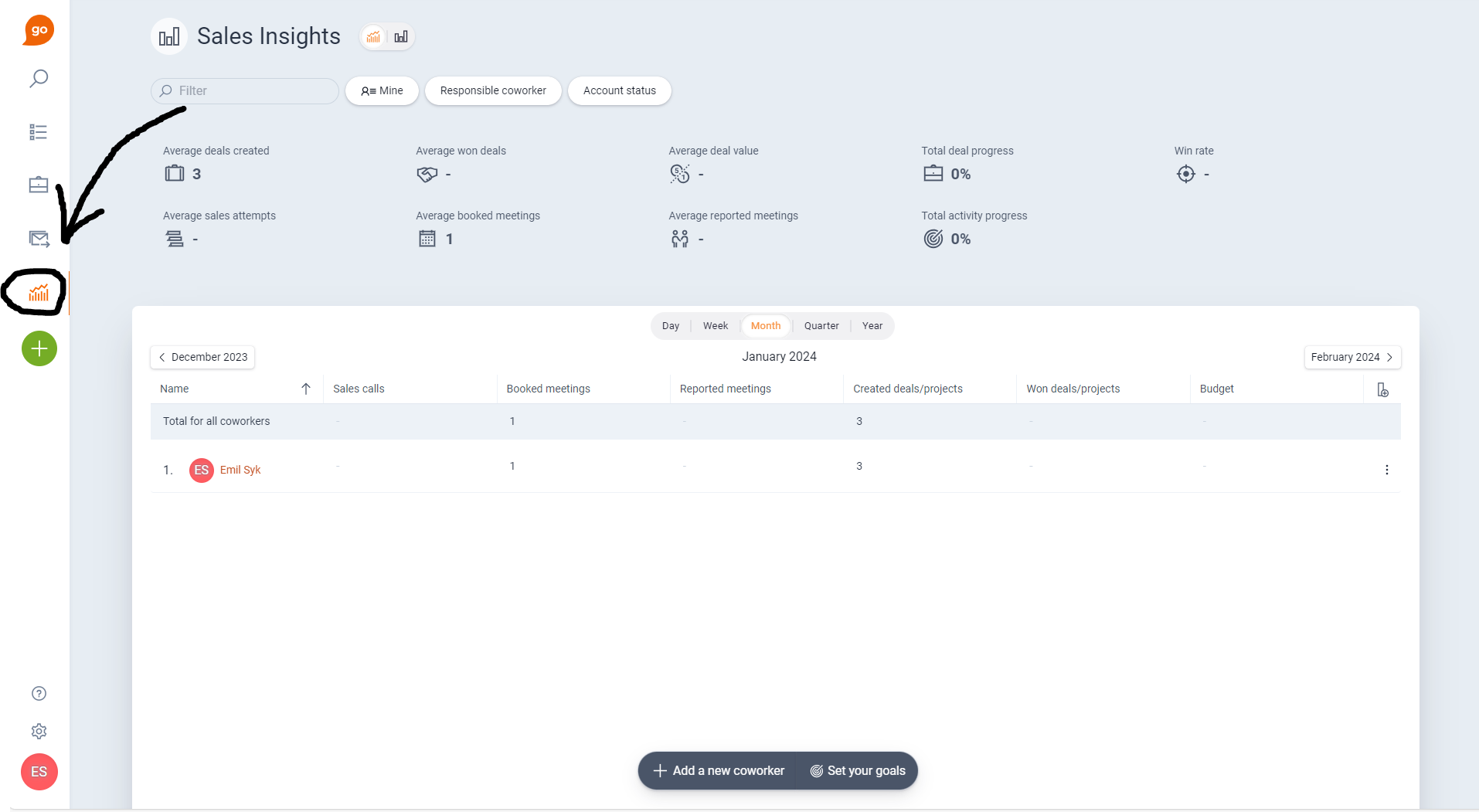
Image without caption

📽️ You can also watch a video guide below:
How does reporting for sales activities work?
How do I export sales insights?

Powered by Notaku
Helpful?
Share