
You can see your colleagues' current reminders or upcoming activities by going to their employee card in Lime Go.
❔ How do I do it?
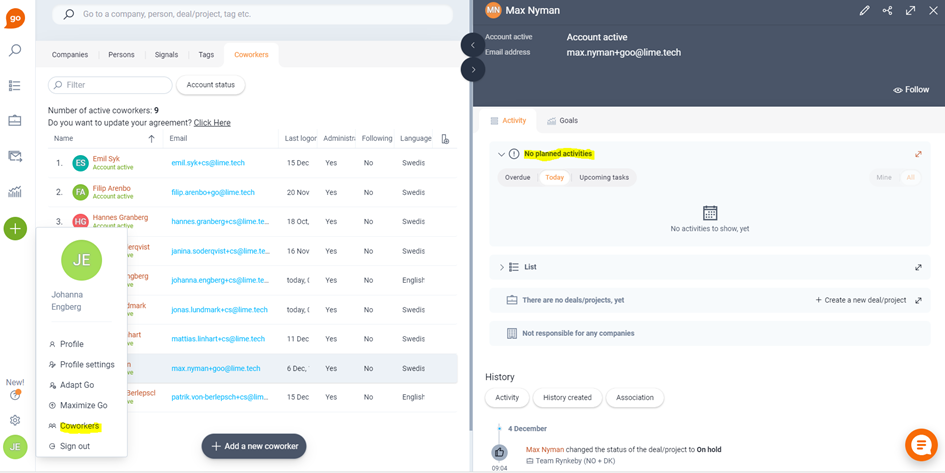
- Either enter your colleague's name in the search field or click your profile in the bottom left corner and then select Employees.
- Click your colleague's name to open the employee card.
- On the employee card, you can see your colleague's pending, ongoing, and upcoming activities/reminders.
📽️ You can also watch a video guide below:
📽️ See them from the calendar view: