
Follow the steps below for your browser. A faster alternative is a hard reload – try that first.
❔ How do I do it?
Hard reload (fastest option)
- Windows (Edge, Chrome, Firefox) – hold down CTRL + F5.
- Mac, Chrome and Firefox – hold down Cmd + Shift + R.
- Mac, Safari – hold down Cmd + Shift + E.
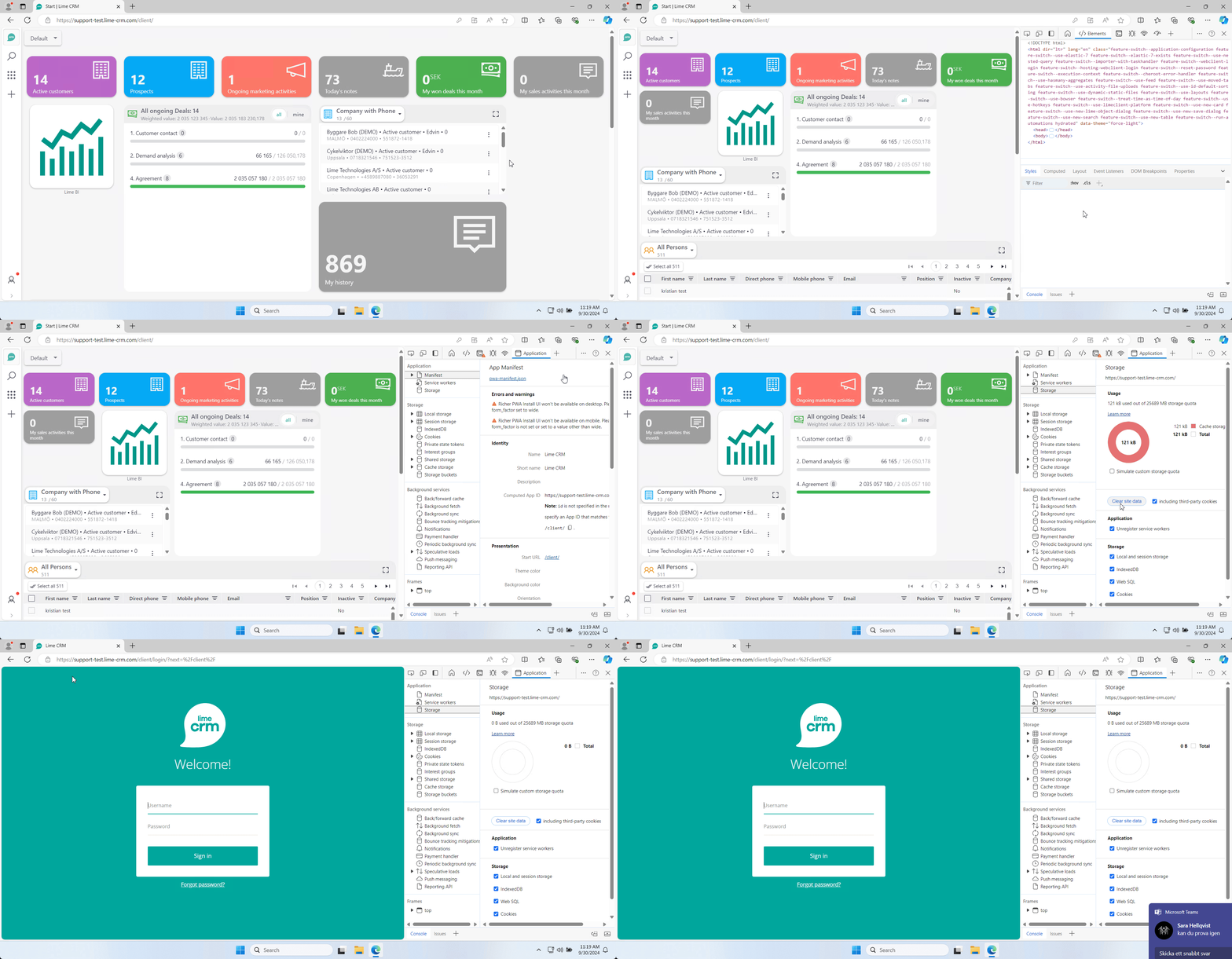
Microsoft Edge
- Right-click on the page and select Inspect.
- Open the Application tab.
- Select Including third-party cookies and click Clear site data.
- Reload the page and close the developer tools.
- Log in again.
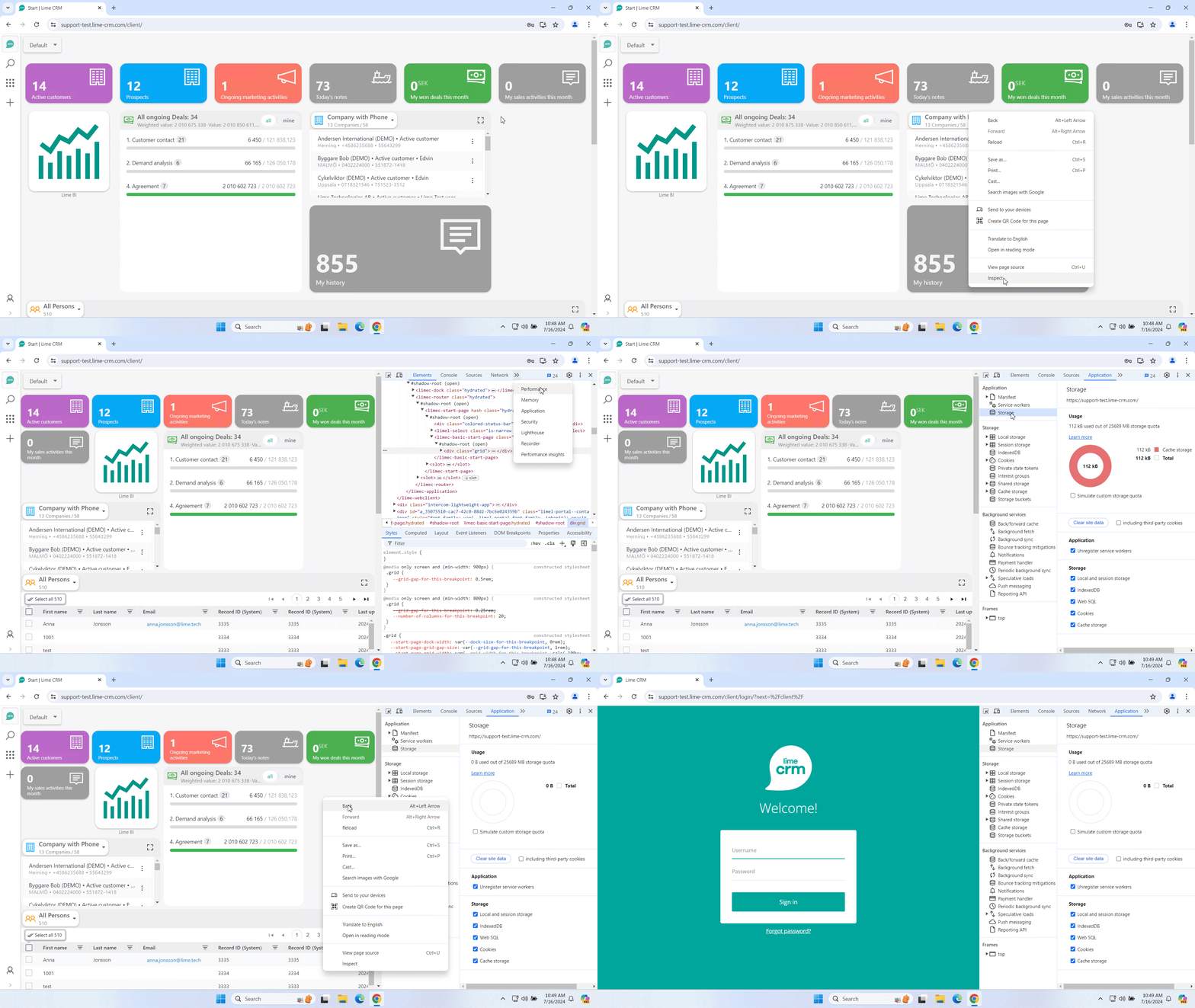
Google Chrome
- Right-click on the page and select Inspect.
- Open the Application tab.
- Select Storage in the menu on the left.
- Click Clear site data.
- Right-click and select Reload, then log in again.
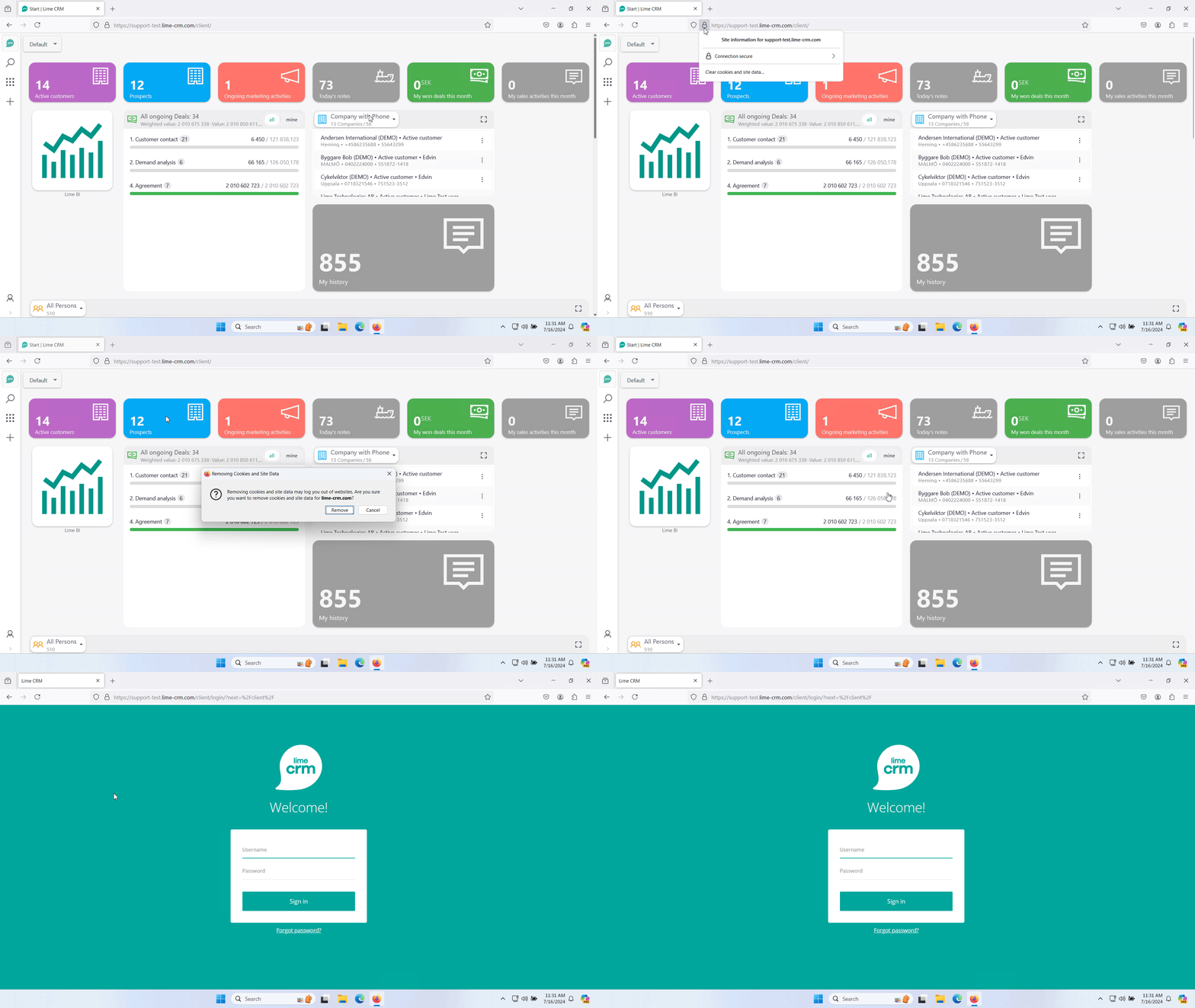
Mozilla Firefox
- Click the lock icon to the left of the URL bar.
- Select Clear cookies and site data.
- Click Remove and reload the page.
Safari
- Click Safari in the top left corner and select Preferences, then Privacy.
- Search for Lime, select the website, and click Remove.