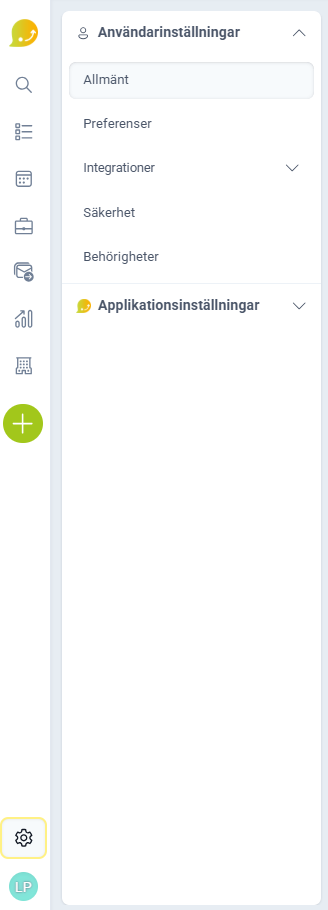
You'll find settings by clicking the gear icon (⚙️) in the side menu, above your profile picture.
❔ How does it work?
Settings are divided into two main menus:
User settings: settings for your own user account:
- Change your details under General.
- Switch between light and dark mode and change language under Preferences.
- Connect and share your calendar under Integrations.
- Change your password under Security.
- Add, remove, and change permissions under Permissions.
Application settings: settings for your shared application:
- Set up and edit your team under Your Company.
- Manage deals and projects, such as sources and required fields, under Deal/Project.
- Edit stages and outcome names in lists under Lists.
- Add default information for mailings under Mailings.
- Edit the company card, such as tags and custom fields, under Company.
- Edit the person card, such as consent settings and custom fields, under People.
- Create custom tasks and activities under Custom Activities.
- Import data under Import Data.
- Turn integrations on and off, such as ERP, e-signing, and API keys, under Integrations.
What you can change depends on your permissions.